Input Variations
A description of the Search, Autocomplete, Date, Numeric, and Password input variations.
Autocomplete
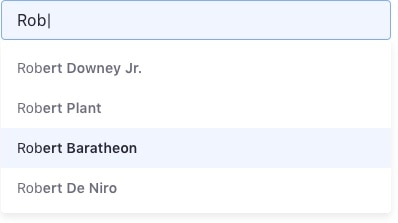
An Autocomplete Input is an Input that offers the user text suggestions while they type.
Search
A Search Input is similar to an Autocomplete Input, but the component states are defined to reflect search results.
Usage
A Search Input can have auto-completion to display a list of options below the field.
- The list below must be as wide as the input box.
- The list must update its content as the user types.
- Characters in each entry must be semibold and marked in regular as the user types.
States
Default

Focus

Active

Numeric
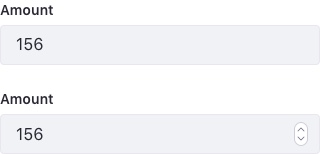
Use Numeric Input when you require the user to enter an integer or float value. Numeric Inputs provide the added bonus of letting the user increase and decrease the value via the arrow keys and internal buttons.
Password
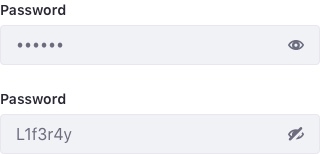
A Password Input is used when the user needs to enter a password.